
Match your expertisewith the right customers.
Turn a strong business profile into real orders. Receive customer enquiries and leads recommended by QX Web based on what customers need and what you can do, then review the opportunities in your portal.
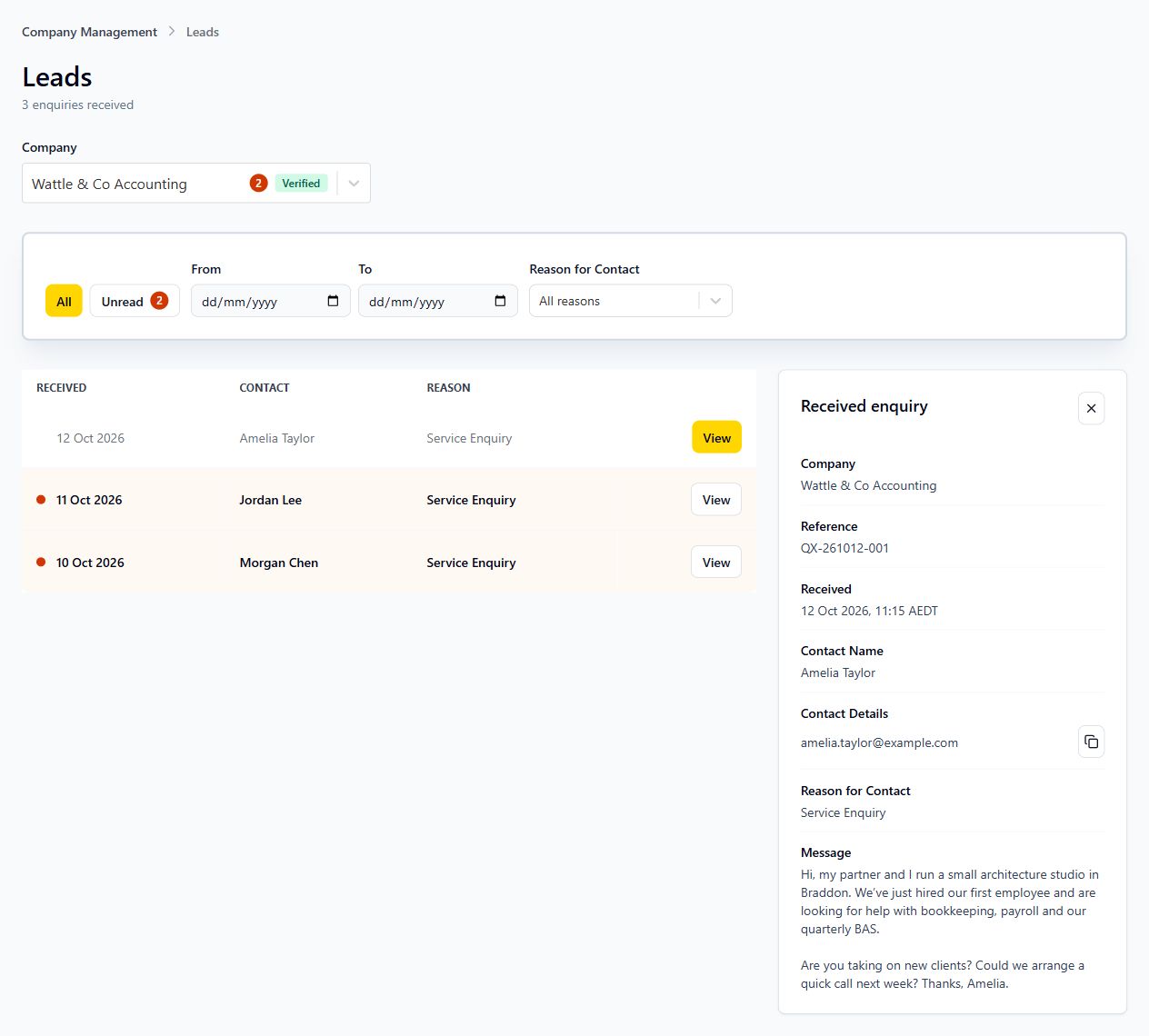
Three ways to connect with your next customer.
Help customers understand your business and connect with enquiries that suit your services.
Receive and review profile leads
Receive leads sent directly to your company on QX Web, then review them in your portal.
Get matched to customer needs
Receive leads recommended by QX Web when your company’s services fit what a customer is looking for.
Get priority with a Featured profile
Make your company Featured to receive priority for lead recommendations.
Before your next enquiry.
Customers can enquire directly from your business profile. QX Web also recommends leads to suitable businesses based on customer needs and the services a company offers.
Full received enquiry details are available to members of verified companies. Link your account to the company and verify ownership of the company profile to unlock contact information and the full message.
Featured companies have priority for lead recommendations that match their services and the customer’s needs.
Yes. Use the company selector to view enquiries for a company linked to your account. Search received enquiries, browse results and use unread indicators to see what needs attention.
You decide how to contact the customer and manage the conversation. Lead Management helps you review received enquiries and their details before you respond.
Be ready when the right enquiry arrives.
Build an outstanding profile, verify company ownership and review received enquiries and relevant lead recommendations in your free QX Web portal.