
Run your businesswith free invoicing.
Sign in to create business invoices for free, with no company listing required. Reuse issuer and recipient details and saved items, apply GST, preview and download PDFs, and manage invoice history and statuses.
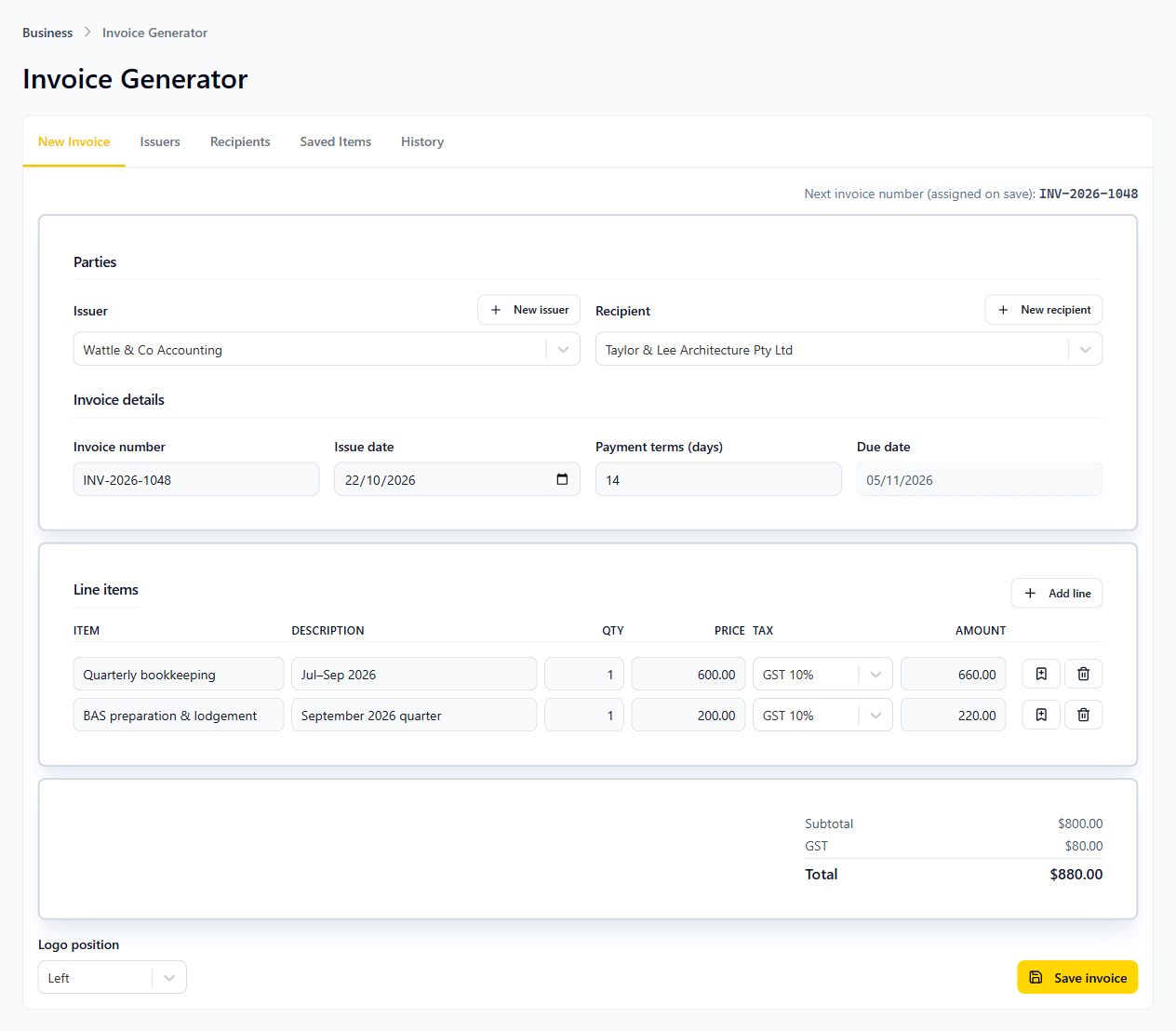
Complete your orders with a practical invoice, without subscribing to paid accounting software.
Keep the details you use often and spend less time entering them again.
Reuse your business details
Manage issuers and recipients, and use ABN lookup when filling business details.
Build clear line items
Add descriptions, quantities and prices, apply GST or GST-free treatment and reuse saved items.
Preview and download your PDF
Check the invoice PDF before downloading it, and find previous invoices in your portal history.
Keep invoice status up to date
Mark an invoice as Draft, Sent, Paid or Overdue in your history to reflect its current status.
Sign in. Add the details. Get your PDF.
You do not need a company listing to use Invoice Generator.
Register and sign in
Create your free QX Web account and open Invoice Generator in your portal.
Add your invoice details
Choose or add the issuer and recipient, fill in line items and select the applicable GST treatment and payment terms.
Preview, download and track
Check the PDF, download your invoice and update its status in your invoice history as your work progresses.
Before you create your invoice.
Yes. Sign in to your QX Web user portal to use the free Invoice Generator.
No. Register and sign in to use Invoice Generator without a company listing. Add issuer details directly in the invoice workspace.
Yes. The invoice tool supports GST and GST-free line items. Choose the treatment that applies to the goods or services you are invoicing.
Yes. Manage issuers, recipients and saved items in your invoice workspace, then reuse them when creating another invoice.
Check the PDF preview and download the invoice. You can then share the downloaded file with your customer using your usual communication method.
No. Invoice Generator prepares invoice documents and keeps invoice history. Payment collection and reminders are handled outside this tool.
You can manually mark an invoice as Draft, Sent, Paid or Overdue. These labels help you keep a record; changing a status does not send the invoice or process a payment.
Put your next invoice together with QX Web.
Sign in and create your next invoice for free, with no company listing required. Reuse saved details, preview and download the PDF, and keep its history and status up to date.